


433.92MHZ 4 channels wireless remote controls signal receiver YET850
- Brand Name:YET
- Model Number:YET850
- Use:Universal
- Place of Origin:Guangdong, China
- Code:rolling code
- Frequency:433.92 MHZ
- Function:checking learning deleting scanning format
Programmable wireless remote controls signal receiver YET850
Features:
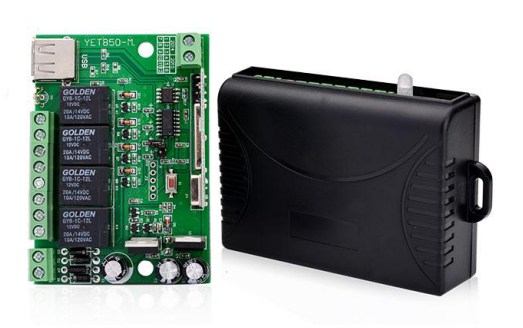
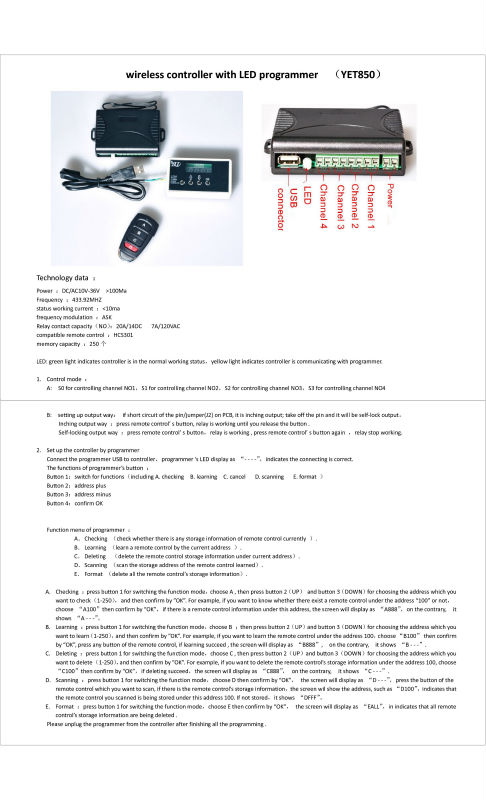
• The receiver is designed to receive control commands from the wireless key fob and then run these commands in the form of activation of the 4 output relays.
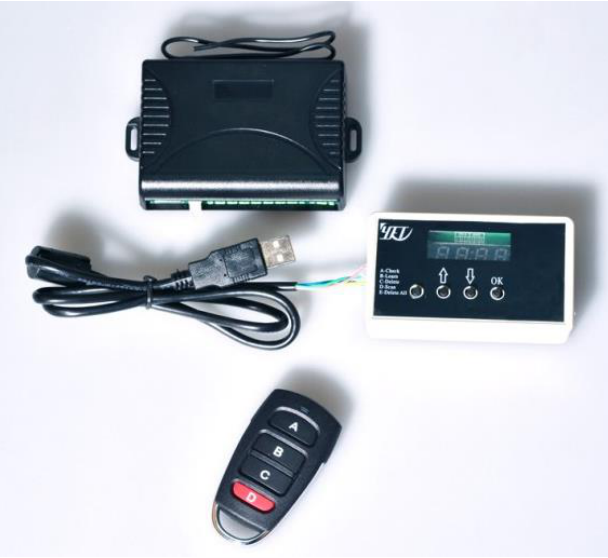
• Storing trinkets in memory, as well as their selective removal is carried out via the programming YET850-S
• Receiver programmer allows you to view information about registered key fob allows you to check whether the Key chain is registered in the memory.
• Power receiver universal, it can feed both AC and DC with a wide range of supply voltages, which allows the receiver to any automation (barriers, gates, shutters, etc.)
Specifications:
Power | DC/AC10V-36V >100Ma |
Frequency | 433.92MHZ |
Status working current | <10mA |
Frequency modulation | ASK |
Relay contact capacity | 20A/14DC 7A/120VAC |
Compatible remote control | HCS301 |
Memory capacity | 250pcs |
Product review:
YET850-M
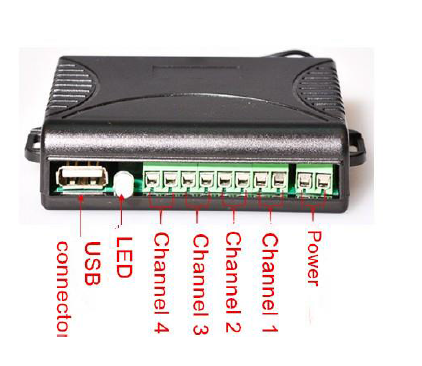
Noted:The green LED indicates normal operation in the standby mode. The yellow LED indicates the signal reception or programming mode
YET850-S
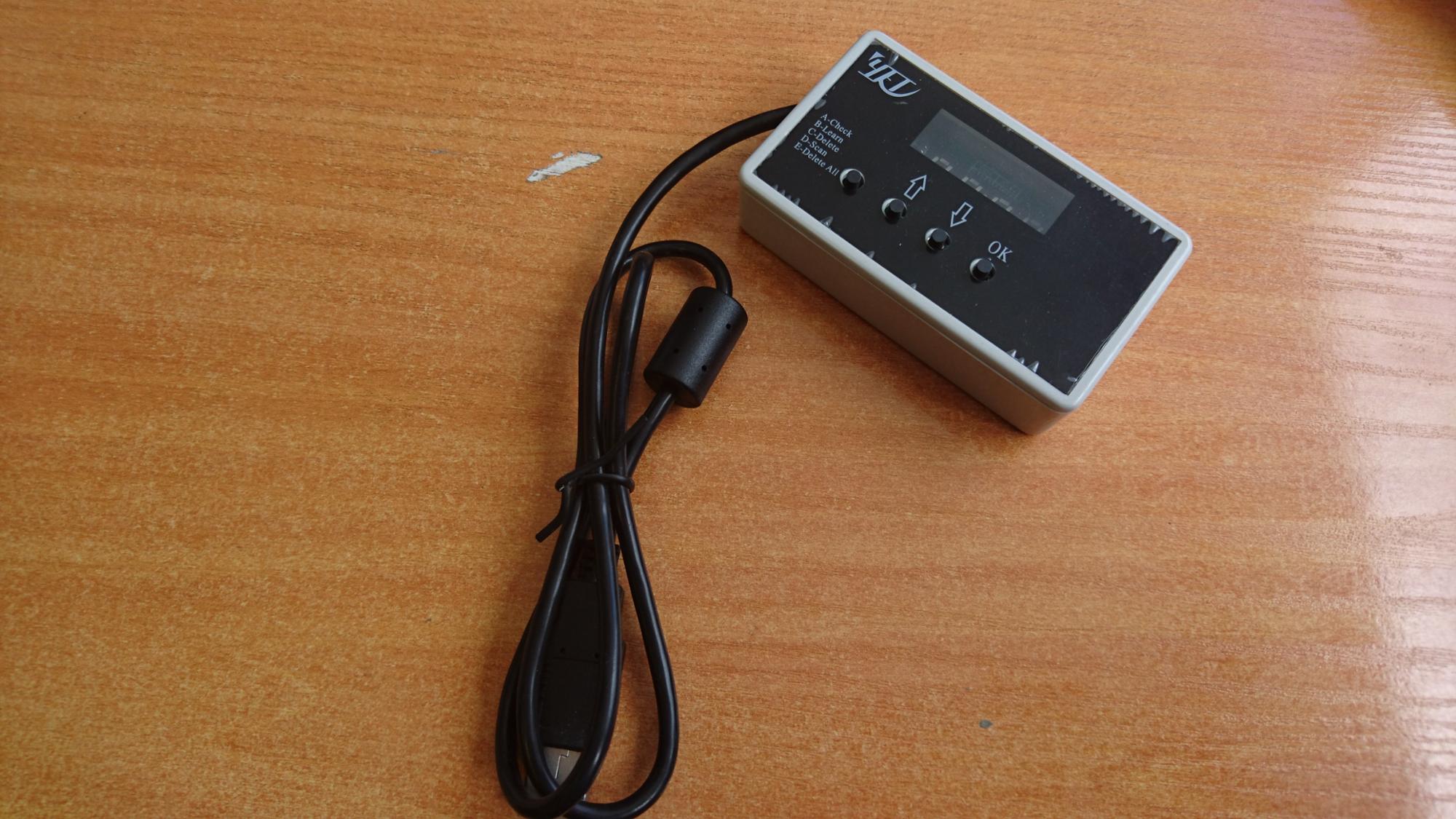
Noted: Any number of receivers YET850-M can be programmed using theprogrammer YET850-S
Setting the operating mode of the receiver outputs
Buttons transmitter A, B, C, D are used to control channels 1, 2, 3, 4, respectivelyoutput channels Relay Mode is set J2 jumper on the receiver boar
• If the jumper is J2, the output relays and relay monostable mode and spend timethe button is pressed. The relay is activated when you press the key fob button andturns off when you release the key fob buttons
• If the jumper is J2, the output mode of the bistable relay. Each time you press thekey fob button switches the relay to its opposite state and stays there until youpress the corresponding button on the key fob
Receiver Controller Setup with Programmer
Connect programmer YET850-S to the USB port of the receiver on the displayprogrammer will display"- - - -", it indicates a successful connection. Note: USB connectors of the receiver and not the programmer intended for connection to a computer.
Assigning programming buttons (left to right):
Button 1: The mode switch (playback, recording, removing the key fob, scan, deleteall).
Button 2: ↑ increase addresses for key fob
Button 3: ↓ decrease addresses for key fob
Button 4: OK acknowledgment (Ok)
E. Removal of all (delete all information about the charms of memory)

For order:
1.Accept OEM.
2.Print logo on the case and pakage
3.Payment Details :30%deposite,70%balance before shipment.Payment accept T/T and western union optional.
4.Minimum Order:1000 pcs(accept trial order)
5.Delivery Details:within two weeks.
Out Service:
1. your inquiry related to our products or prices will be replied in 12 hours
2. well-trained and experienced staffs to answer all your enquires in fluent English
3. OEM&ODM,any your customized products we can help you to design and put into production
4. Protection of your sales area, ideas of design and all your private information
5. Deliver by air mail or ship for your orders
For more infomation,please visit our website www.szyet.com


