What types of motors can be used with the 866 controller?
2022-12-01
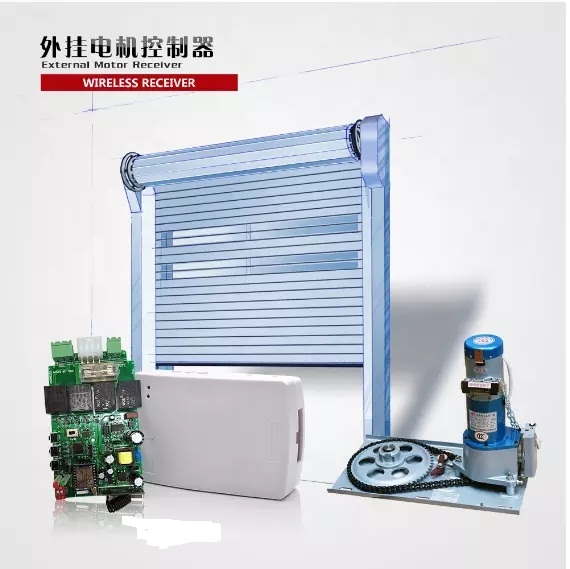
Its voltage is AC220V with 433mhz frequency .The sensitivity is ≥-105dBm . The Static current is ≤12mA
The controller can work under the temperature from -40℃ to +80℃.It decodes rolling code remote control. And the remote control capacity is 10pcs, if you want add 11st, it will replace the 1 st remote control. The dimension of this controller is 123mm*77mm*38.7mm.
Next I will introduce how to operate.
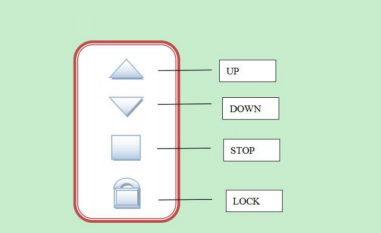
(1)remote button
1 .UP:Open the door
2 .DOWN:Close the door
3 .STOP:Stop(when unlocked) or unlock (when locked)
4 .LOCK:Lock the remote
2.Delete remote control: Press the LEARN button (LRN) more than 5s, release when the green led OFF.It
means all remote control memory clear.
(3) running time setting
Press the running time setting button(TIME) 1s, release after Green LED ON, then the motor will work, when running time is ok, press any button on the memory remote control, the green LED flash 4 times, it means successfully. If the green led flash only 1 times, it means failed.
(4) Auto-close delay time setting
Press the Auto-close delay time setting button (AUTO) 1s, release after Green LED ON, then the motor will work, when running time is ok, press any button on the memory remote control, the green LED flash 4 times, it means successfully.
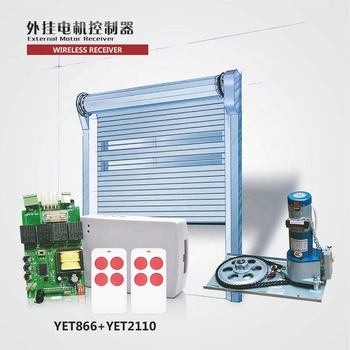
(5) auto-close mode :The DIP switch Number 2 is ON, it is auto-close mode.
(6) 4KEY / 1 KEY : The DIP switch Number 1:
ON: 4 KEYmode
OFF: 1 KEY mode, in this mode, only work the button which you learned before. The work ways will be circled with open-stop-close-stop-open... And please noted that in this 1 key mode, there is no lock and combination button function.
(7) Changing motor working direction: the switch SW2
(8) Combination button
a. Add new remote, press the STOP+LOCK button of the LEARNED(which can work with receiver) remote control, release after 1s. when green LED ON,then press any button on the remote control, the green led flash 4 times, it means successfully.
b. Running time setting, press the button DOWN+LOCK of the LEARNED remote control 1s then release.
When the delay time is ok , press any button on remote control, the green LED flash 4 times, it means successfully.
c. Auto-close delay time setting:
press the button UP+LOCK of the LEARNED remote control 1s then release.When the delay time is ok, press any button on remote control, the green LED flash 4 times, it means successfully.
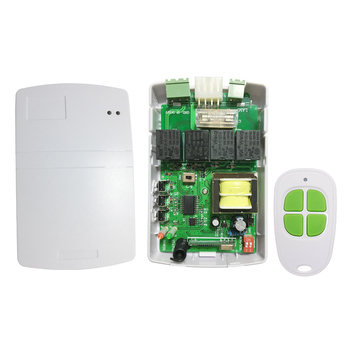
The controller can work under the temperature from -40℃ to +80℃.It decodes rolling code remote control. And the remote control capacity is 10pcs, if you want add 11st, it will replace the 1 st remote control. The dimension of this controller is 123mm*77mm*38.7mm.
Next I will introduce how to operate.
(1)remote button
1 .UP:Open the door
2 .DOWN:Close the door
3 .STOP:Stop(when unlocked) or unlock (when locked)
4 .LOCK:Lock the remote
- Add or Delete the remote control.
2.Delete remote control: Press the LEARN button (LRN) more than 5s, release when the green led OFF.It
means all remote control memory clear.
(3) running time setting
Press the running time setting button(TIME) 1s, release after Green LED ON, then the motor will work, when running time is ok, press any button on the memory remote control, the green LED flash 4 times, it means successfully. If the green led flash only 1 times, it means failed.
(4) Auto-close delay time setting
Press the Auto-close delay time setting button (AUTO) 1s, release after Green LED ON, then the motor will work, when running time is ok, press any button on the memory remote control, the green LED flash 4 times, it means successfully.
(5) auto-close mode :The DIP switch Number 2 is ON, it is auto-close mode.
(6) 4KEY / 1 KEY : The DIP switch Number 1:
ON: 4 KEYmode
OFF: 1 KEY mode, in this mode, only work the button which you learned before. The work ways will be circled with open-stop-close-stop-open... And please noted that in this 1 key mode, there is no lock and combination button function.
(7) Changing motor working direction: the switch SW2
(8) Combination button
a. Add new remote, press the STOP+LOCK button of the LEARNED(which can work with receiver) remote control, release after 1s. when green LED ON,then press any button on the remote control, the green led flash 4 times, it means successfully.
b. Running time setting, press the button DOWN+LOCK of the LEARNED remote control 1s then release.
When the delay time is ok , press any button on remote control, the green LED flash 4 times, it means successfully.
c. Auto-close delay time setting:
press the button UP+LOCK of the LEARNED remote control 1s then release.When the delay time is ok, press any button on remote control, the green LED flash 4 times, it means successfully.
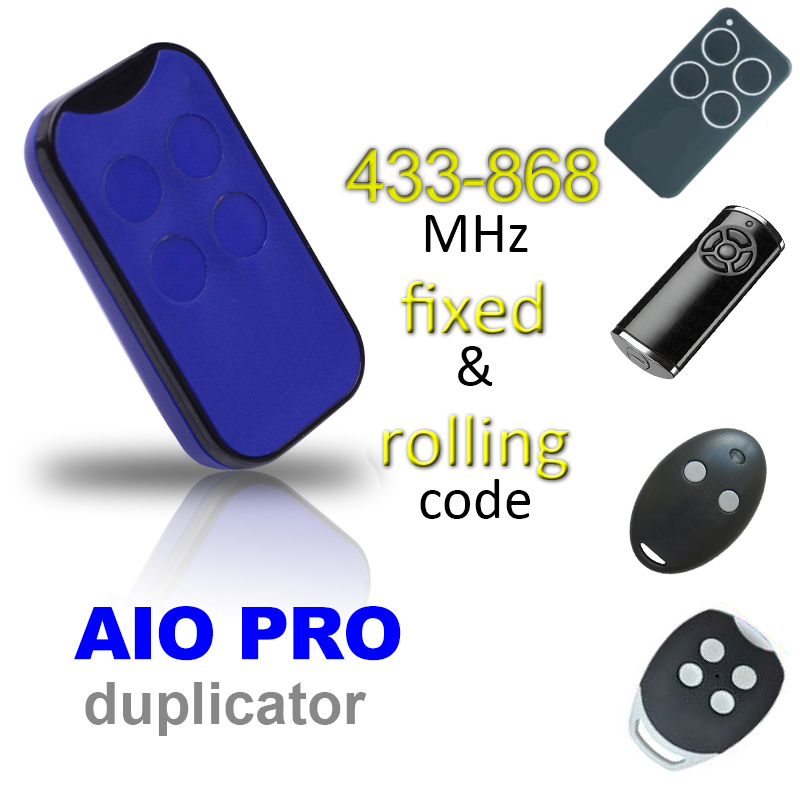
YET2144-D4 type face to face duplicator,can replace so many remote control
statement on the recent illegal acts of propagating and selling the same type of fake products in the name of our company Statement below, please
Related Article
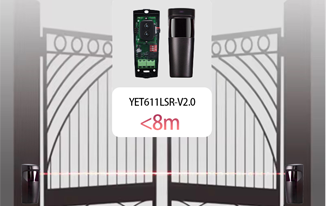
Infrared beam detector is an active infrared intrusion detector, which blocks and cuts off the infrared beam when someone or an object passes through it.
The advantages of install photocell sensor
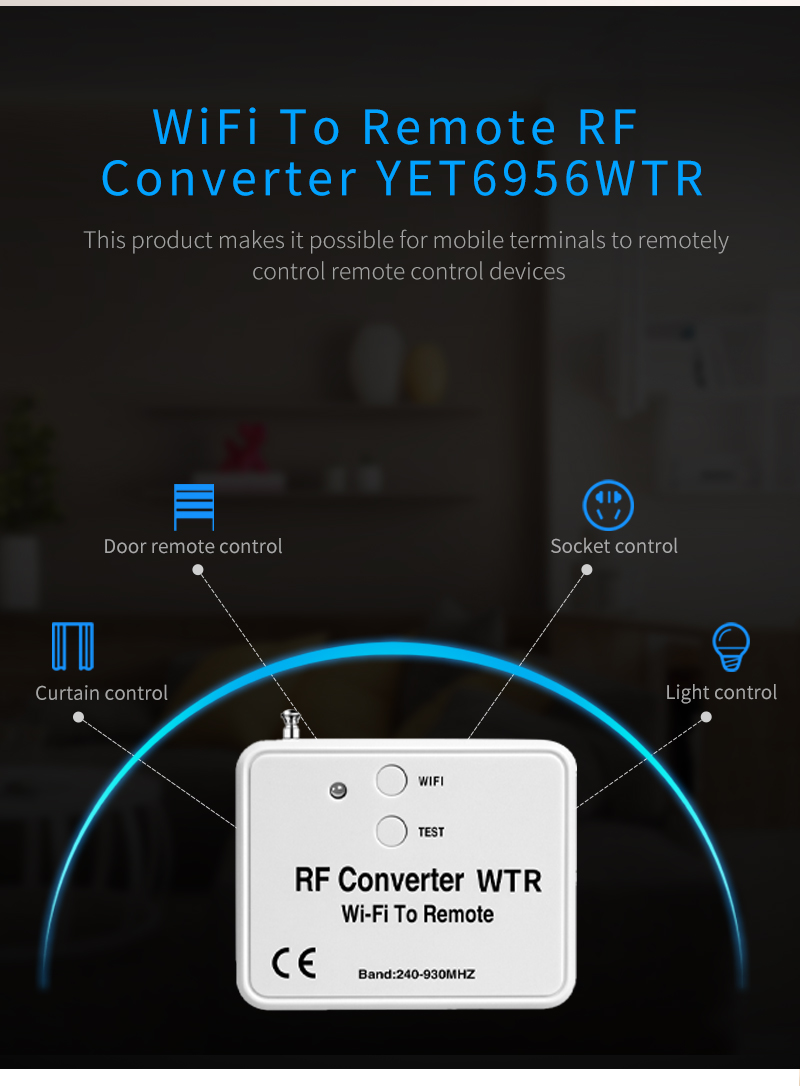
The multi frequency 240MHz-930MHz WiFi To RF converter YET6956WTR is rapidly changing the way homeowners interact with security access points.
Why Global Customers Are Raving About the YET6956WTR WiFi to RF Converter?