Tuya APP YET868WTR-V2.0 Electric sliding door controller
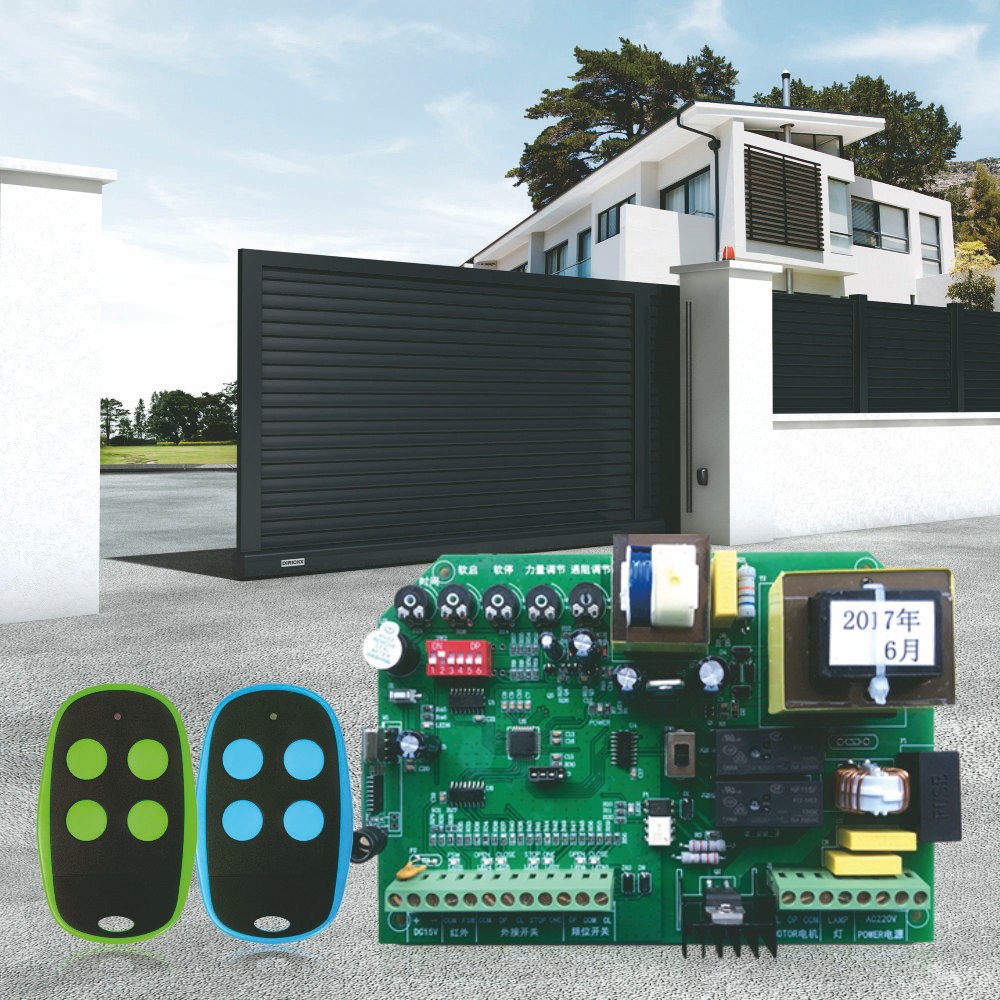
YET868WTR-V2.0 is a dedicated to the electric sliding door control controller, with the setting of travel, automatic delay closing, blocking stop, over-current detection, limit switch, soft start soft stop, adjustable torque and other functions; Different application control parameters can be set by digital display.
This product can switch on/off , mainly use in garage door, supermarket,etc. It is wifi version and RF version at the same time.You can control it by Tuya App on the cellphone or by remote control.It can decode learning code remote control.

Product specification parameters are as follows,
Input voltage is 220VAC.
Relay contact current is 8A@277VAC / 8A@30VDC.
Maximum stroke ON/OFF:99s.
Minimum stroke ON/OFF:5s.
Working frequency is 2.4G ~2.5G(2400M ~2483.5M)Hz and 433MHZ/315MHZ for optional.
Remote control capacity is 120 buttons(30pcs 4 button remote).
The method for Learning remote control and Removing remote control:
Learning remote control:
To learn the remote control, press the learn button for 3 seconds. After the point on the second display should be turned off, the point on the first display should be turned on.Then the main board should wait 10 seconds in order to transmit the code of the remote control. When the code is captured, the buzzer emits 3 beeps and displays the number of saved remote controls. The device then exits remote programming mode. If the code is not captured during 10 seconds, the main board will exit the remote programming mode.
Removing remote control:
When the user presses and holds the learning key for 10 seconds. The motherboard deletes all remote controls from memory. The buzzer rings for a long time.
Some Product functions description,
Start up:
Power the controller, the buzzer will sound 2 times, then LED screen lights up and display numbers 0-9 to start up it’s self-check. When a “.” shows up on the second LED screen,the controller can go to work.

Overload protection:
Overload protection shall be suitable for both situations (open or closed). When the overload protection is triggered, the closing motor shall stop and then open the gate. When the overload protection is triggered when it is opened, the motor shall only stop.
Set numeric parameters steps are as follows:
Mark: The motherboard should only use 4 buttons (from left to right: set, increase, decrease and learn).
When the user holds down the setting key for 3 seconds, open the configuration menu, the point on the second display shall be closed, and the display shall display the name of the first parameter ("P0"). After that, the user can use the increase and decrease keys to switch between parameters. Pressing and holding the increase or decrease key can make the value change rapidly. Confirm the parameter to be changed by pressing the set key, and then change the parameter value by pressing the increase or decrease key. Press and hold the increase or decrease key to make the value change quickly. Press the set key to save the option parameters (confirm to save by 3 beeps of the buzzer). Press the learn key to exit the menu. If the device is in setup mode and the button is not activated for more than 30 seconds. The controller exits setup mode and returns to standby mode (turn on the point on the second display) and waits for the RF transmitter or signal input to trigger. When the user presses and holds the set key for 10 seconds. Main board restores the factory default parameter settings. The buzzer rings for a long time.
YET6139 New Design Waterproof Alarm LED Light AC DC 12V/24V/220V
Hot Sale Universal RF D5-Type Duplicator Remote Control YET2114 for Auto Garage Door Compatible with Many Brands
Related Article